> ## Documentation Index
> Fetch the complete documentation index at: https://docs.prompteus.com/llms.txt
> Use this file to discover all available pages before exploring further.
# Rate Limiting
> Control the rate of requests to your Neurons to prevent abuse and manage resource usage effectively.
Rate limiting helps you control how often your Neurons can be called.
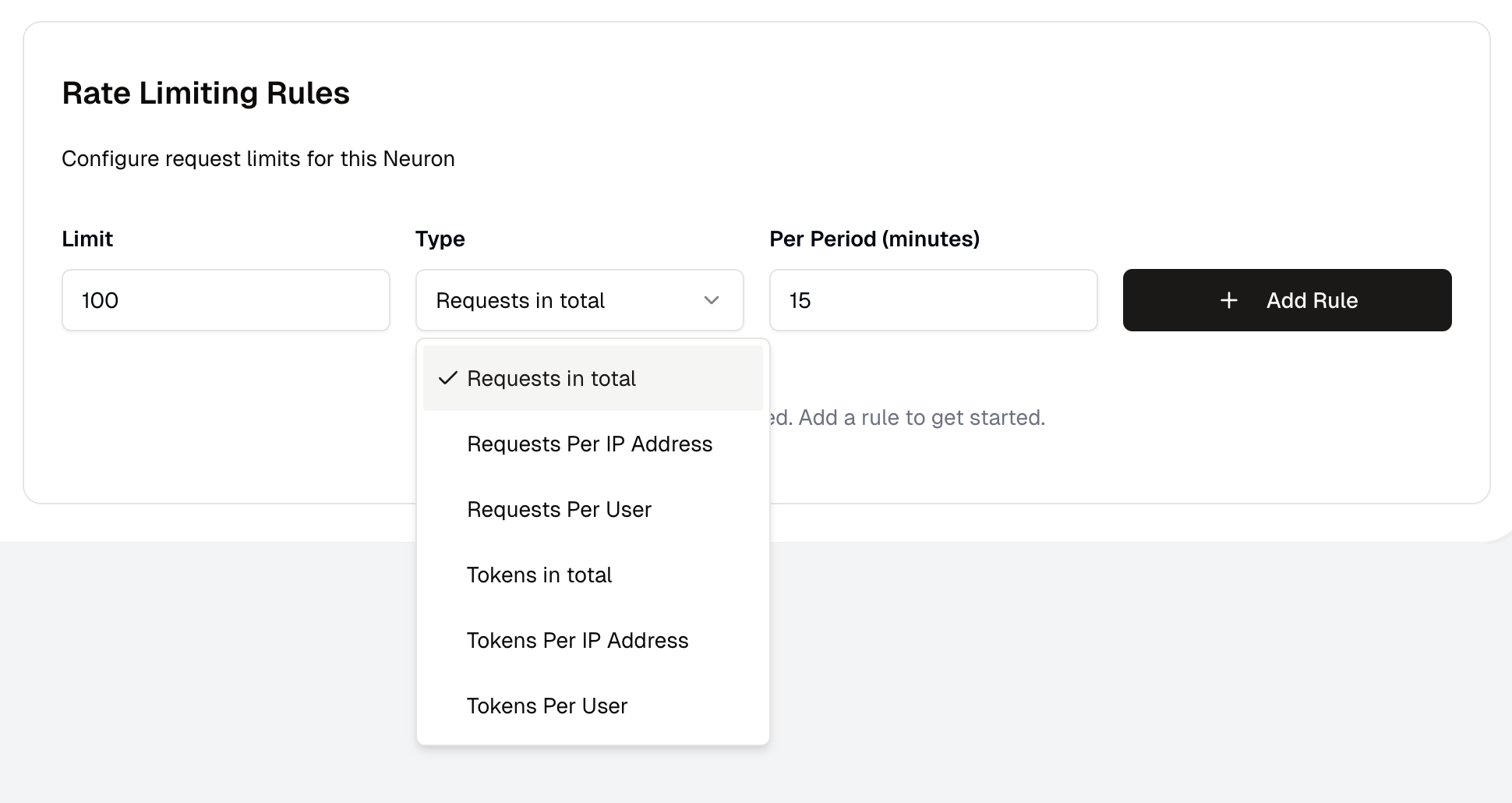 ### Rate Limiting Rules
You can define as many rate limiting rules as you want. Each rule can have a different limit and time period. Rules are executed in order, and the first match blocks the request.
To speed up execution, rate limiting rules are cached for a few minutes. If you need to deploy an immediate change, we recommend [creating and deploying a new version](/neurons/editor/version-management) of your Neuron.
### Metrics and Scopes
Rate limiting rules can be defined using the following metrics:
| Metric | Description |
| -------- | ---------------------------------------------------------------------------- |
| Requests | The number of requests made to the Neuron. |
| Tokens | The number of tokens processed by the Neuron, across all AI providers calls. |
Tokens are mixed across all AI providers calls, and are not specific to a single provider. Each provider counts tokens slightly differently, and is not normalized.
Rate limiting rules are also defined by a scope:
| Scope | Description |
| -------- | ----------------------------------------------- |
| Total | The total number of the chosen Metrics |
| Per IP | The number of the chosen Metrics per IP address |
| Per User | The number of the chosen Metrics per user |
`Per User` is only enforced if you are using JWT Authentication with a username property path defined, otherwise it will be ignored. See [Access Control](/neurons/settings/access-control#jwt-authentication) for more information.
### What happens when a request is being rate limited?
When a request is being rate limited, the Neuron will return a `429` HTTP status code and an error message. Make sure to handle this error in your application.
You can monitor rate limit hits and usage patterns through the [execution logs](/neurons/logging) to fine-tune your rate limiting rules.
### Rate Limiting Rules
You can define as many rate limiting rules as you want. Each rule can have a different limit and time period. Rules are executed in order, and the first match blocks the request.
To speed up execution, rate limiting rules are cached for a few minutes. If you need to deploy an immediate change, we recommend [creating and deploying a new version](/neurons/editor/version-management) of your Neuron.
### Metrics and Scopes
Rate limiting rules can be defined using the following metrics:
| Metric | Description |
| -------- | ---------------------------------------------------------------------------- |
| Requests | The number of requests made to the Neuron. |
| Tokens | The number of tokens processed by the Neuron, across all AI providers calls. |
Tokens are mixed across all AI providers calls, and are not specific to a single provider. Each provider counts tokens slightly differently, and is not normalized.
Rate limiting rules are also defined by a scope:
| Scope | Description |
| -------- | ----------------------------------------------- |
| Total | The total number of the chosen Metrics |
| Per IP | The number of the chosen Metrics per IP address |
| Per User | The number of the chosen Metrics per user |
`Per User` is only enforced if you are using JWT Authentication with a username property path defined, otherwise it will be ignored. See [Access Control](/neurons/settings/access-control#jwt-authentication) for more information.
### What happens when a request is being rate limited?
When a request is being rate limited, the Neuron will return a `429` HTTP status code and an error message. Make sure to handle this error in your application.
You can monitor rate limit hits and usage patterns through the [execution logs](/neurons/logging) to fine-tune your rate limiting rules.