

Editing Neurons
Editing Neurons is done through the Prompteus Dashboard. Once your account and organization are setup, you can create a Neuron from the Neurons page.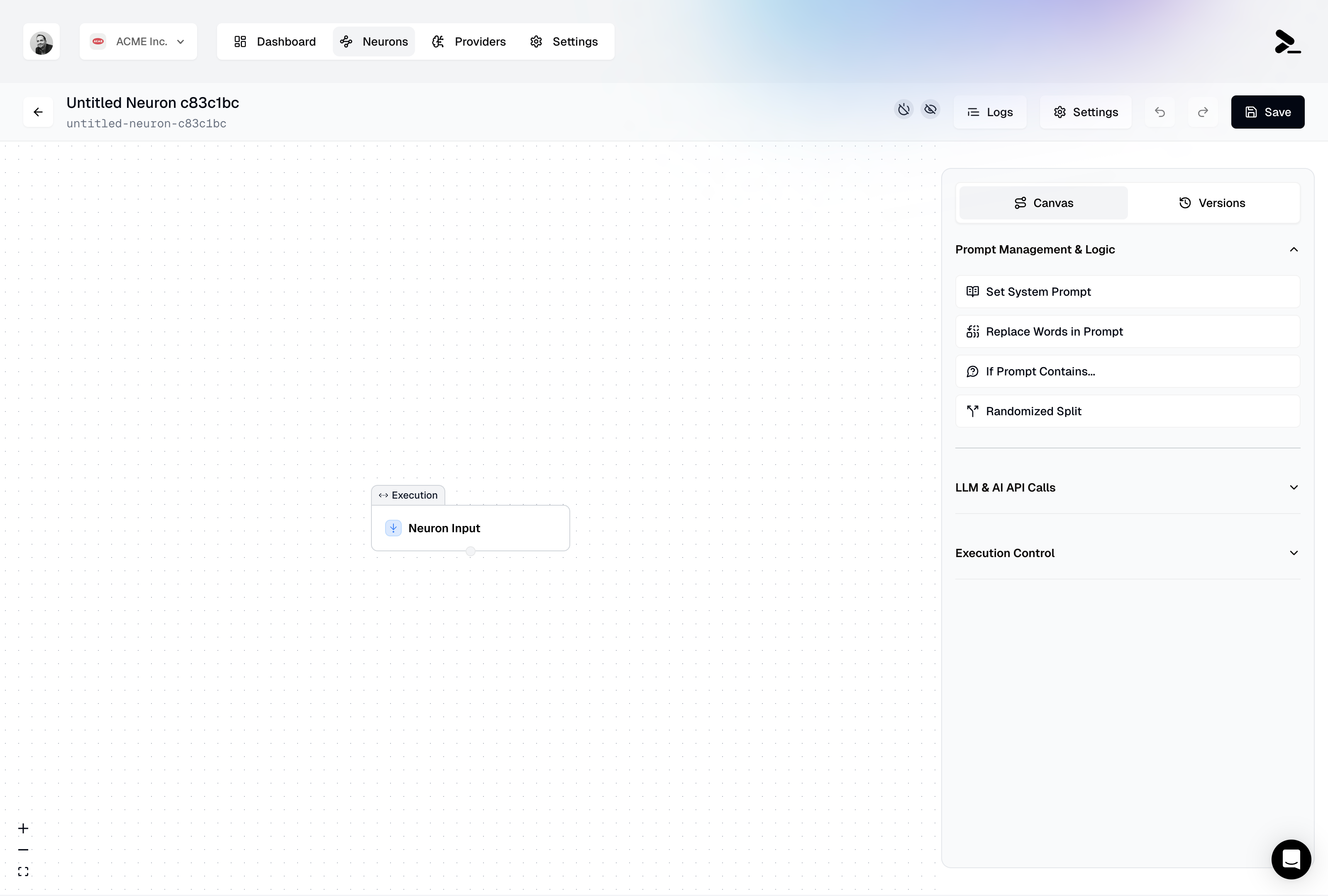
The Workflow Editor inside Prompteus when creating a new Neuron.
Deploying Neurons
Before being able to call your Neurons through their API endpoint, you need to deploy your Neuron, and configure their access settings. Learn more about version management and deployment.Calling a Neuron
Each Neuron can be called from a unique API URL. Your Neuron API URL is visible in the Neuron Settings, and is generated from your organization’s slug and the Neuron’s slug. You can manage your organization’s slug in the Team Settings.@prompteus-ai/neuron-runner) that offers a more convenient way to integrate with Neurons, including type safety and built-in error handling. See the SDK section of our API documentation for installation and usage details.
Every call to a Neuron is considered a Neuron Execution, which is the fundamental unit of cost in Prompteus. The first 50,000 executions are free every month, and every additional 100,000 executions costs $5.00.